Everything the plan needs, in one board
The homepage shows the highlights. Here is the fuller picture — planning, scheduling, readiness, commitments, analytics and the record behind them. Every plan includes all of it.
Plan on a wall everyone can read
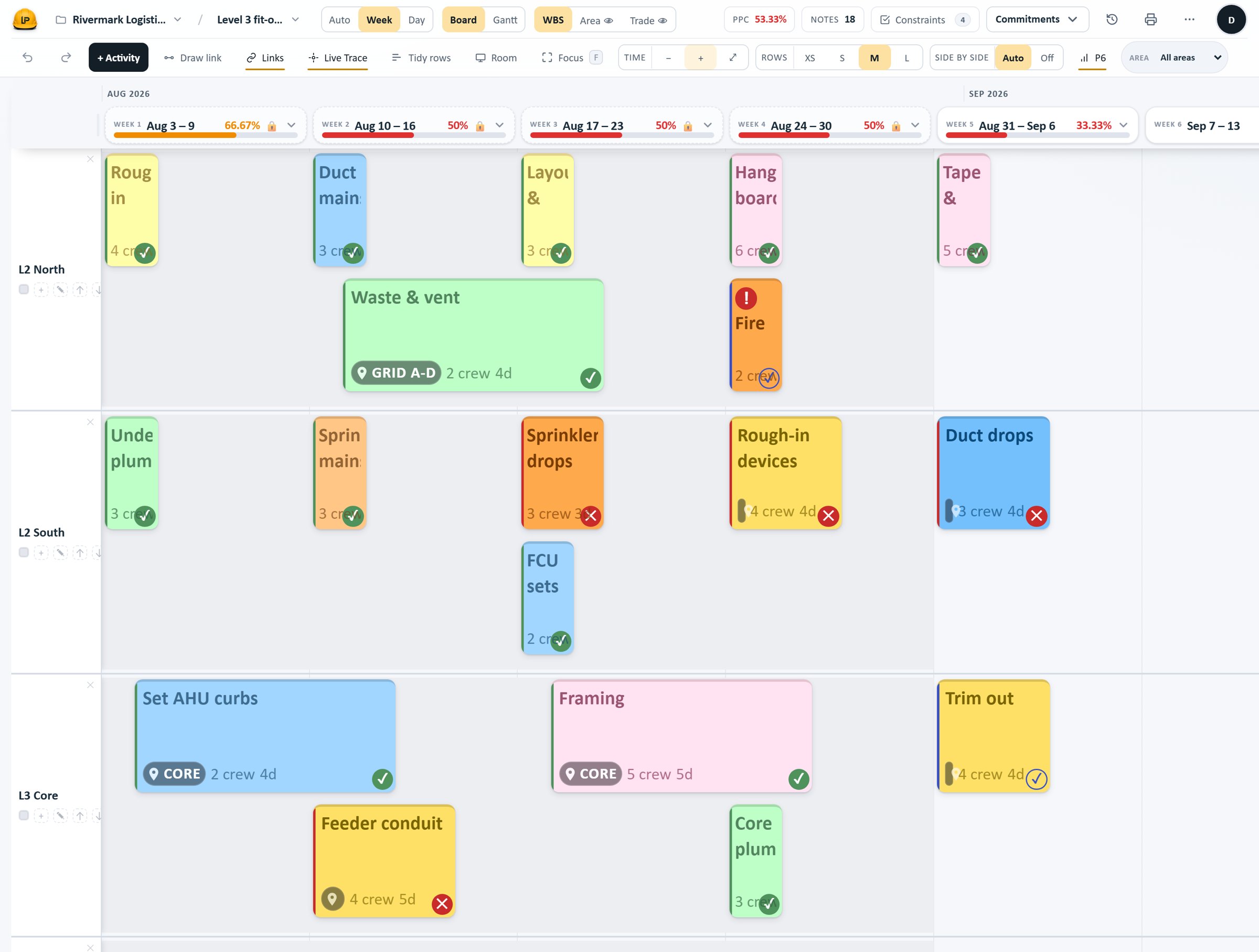
Activities are sticky cards on area rows across a timeline. Colour by trade, area or crew, and read the same plan by day or by week.
- Two ticket styles — filled cards, or ink with a coloured edge.
- Day and week views of one plan; history never changes with the view.
Board and Gantt, one plan with real logic
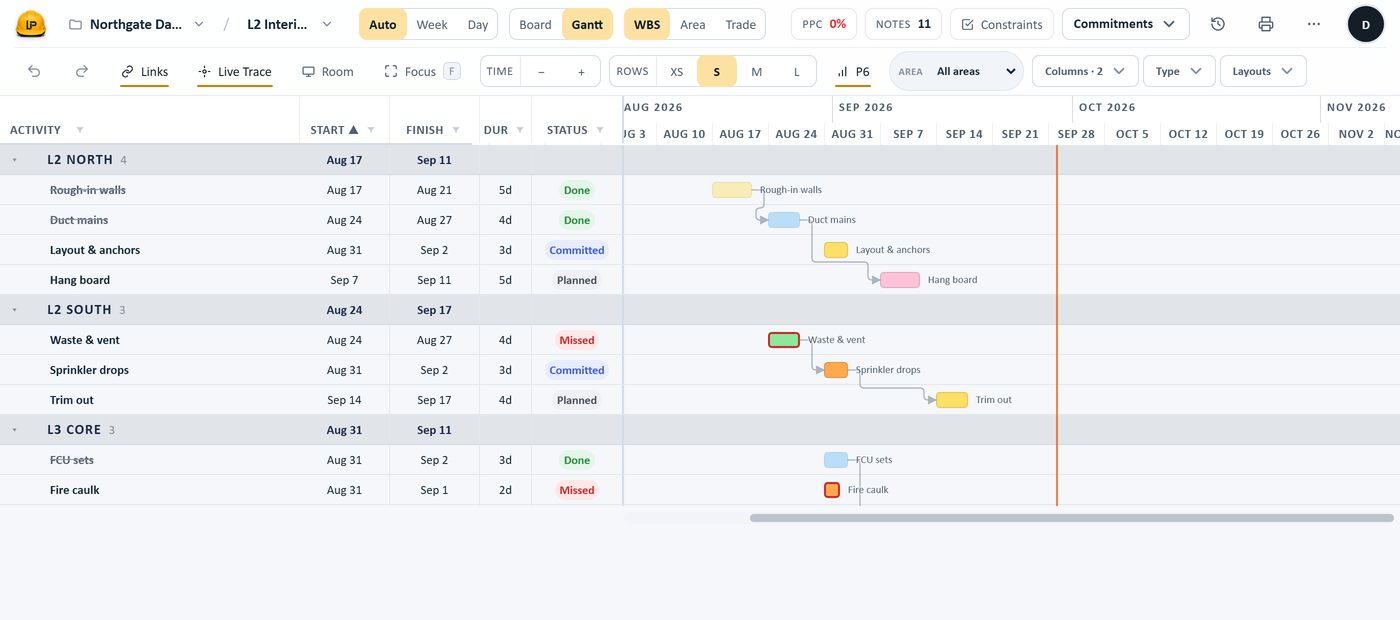
Drag to move, drag an edge to change a duration, draw a link to set a dependency. Successors shift immediately, on the board or in the Gantt.
- FS, SS, FF and SF relationships with lag, on a working calendar.
- The Gantt shows start, finish, duration, crew and predecessors in columns.
Make work ready before you promise it
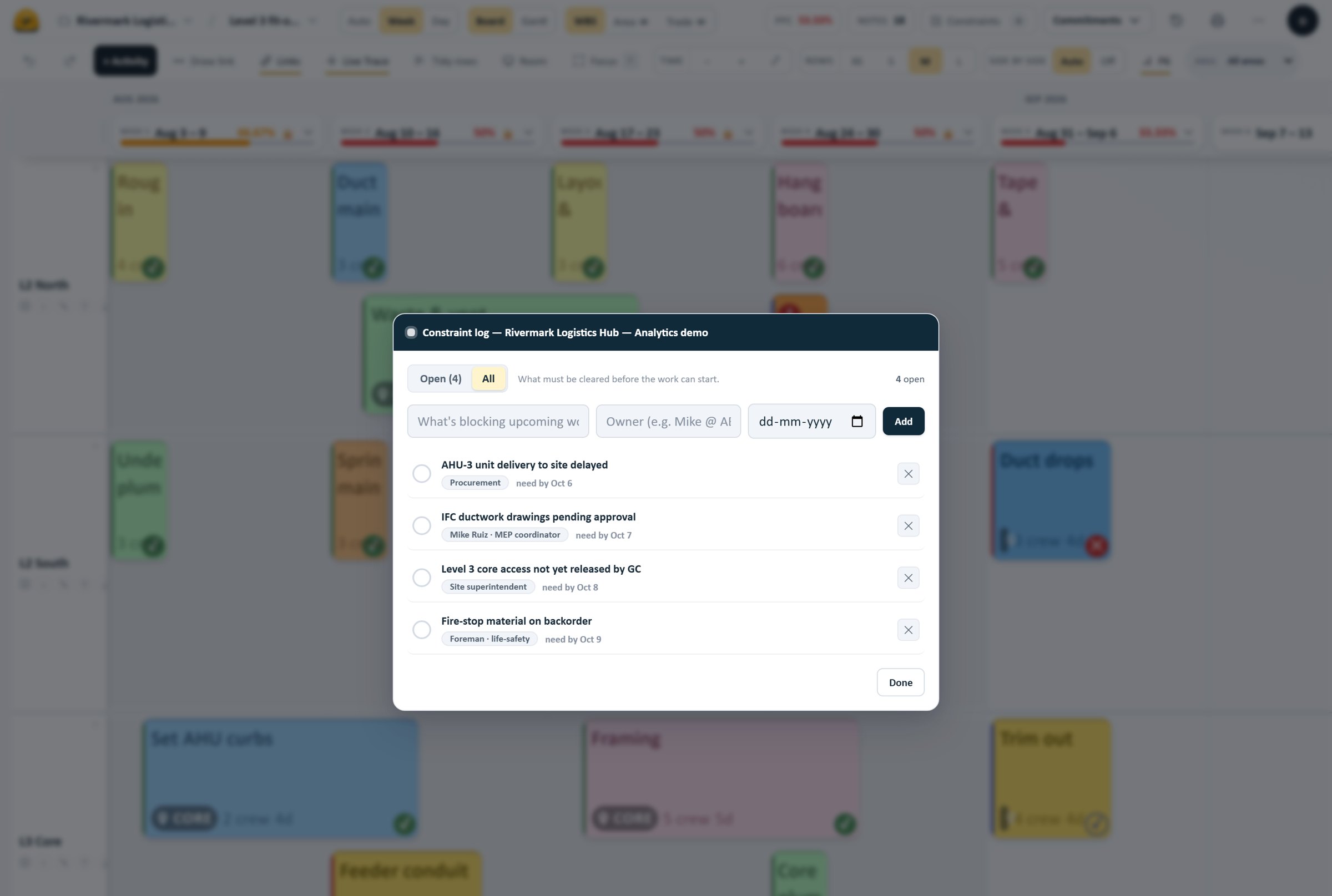
Every blocker is logged against the activity with an owner and a need-by date. Work that is not made ready cannot be committed for the week.
- Constraints carry an owner and a date, open or cleared.
- Readiness is visible before the pull session, not discovered in it.
Commit the week, then close it
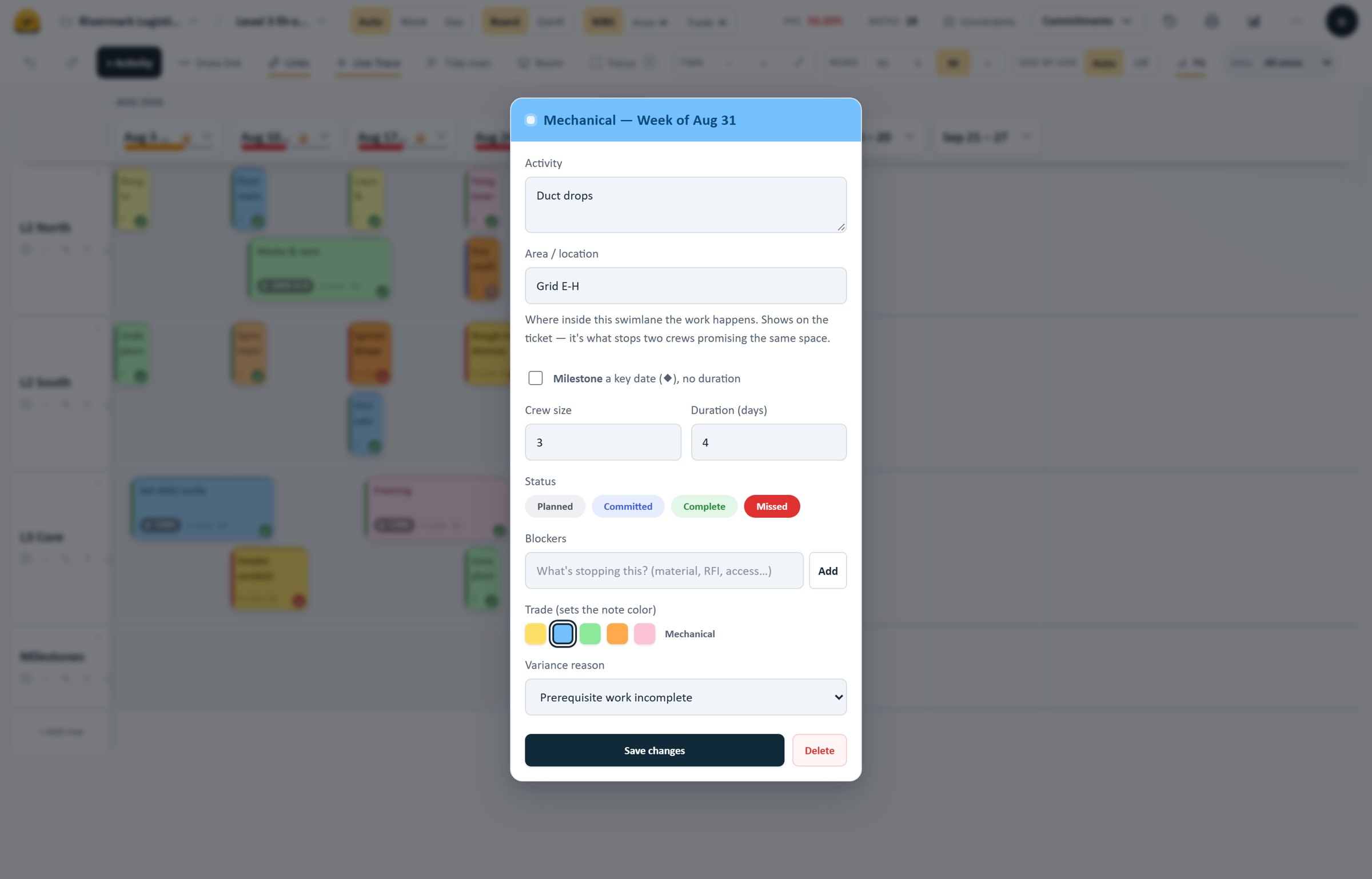
A commitment is a promise to finish. Mark work done, or missed with a reason; a week-close preview shows what will freeze before you close it.
- Missed always carries a variance reason — enforced, not optional.
- A closed week is frozen; a late catch-up never rewrites it.
Completion and on-time PPC, kept apart
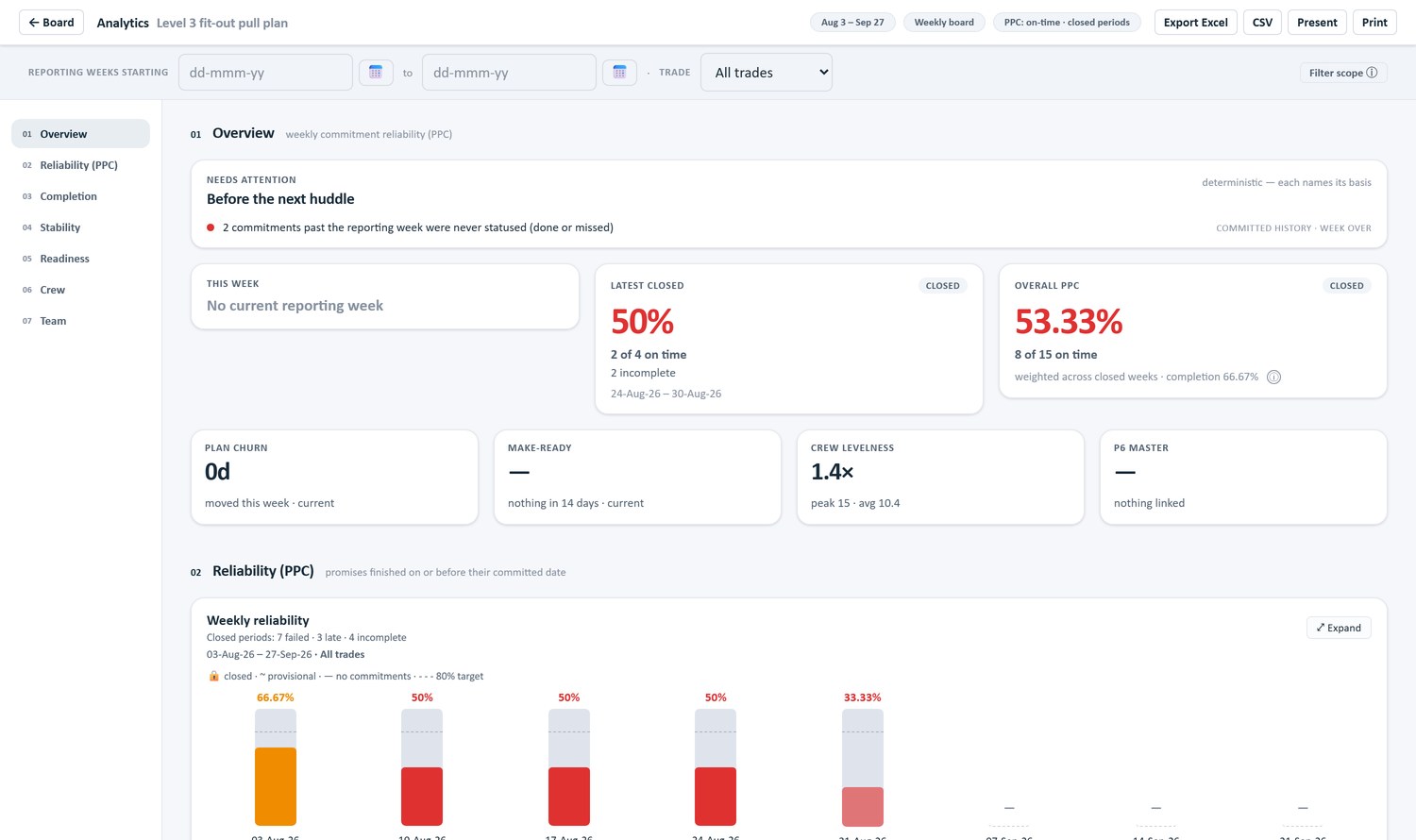
Percent Plan Complete is computed from an append-only commitment history — on-time against the committed deadline, distinct from how much got done.
- On-time PPC and completion, by week and overall.
- Reliability by trade, each closed week frozen at its own numbers.
An automatic record of every change
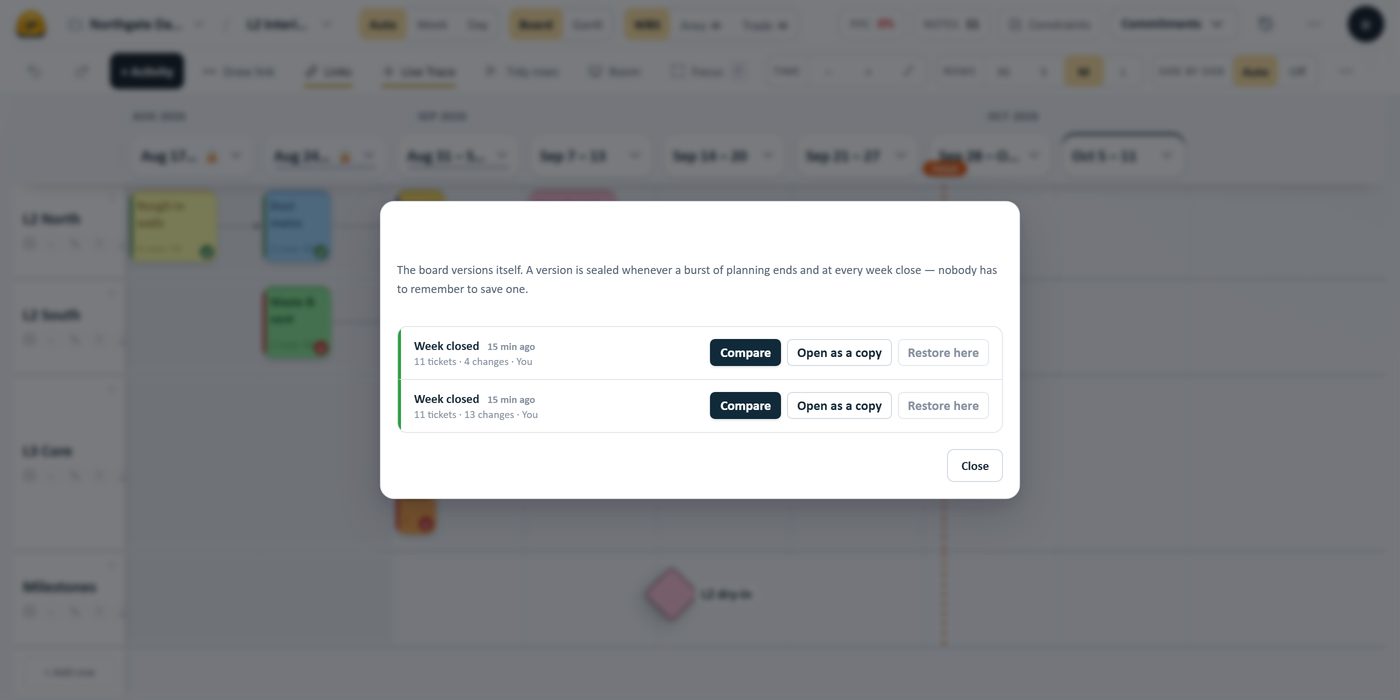
The board versions itself — who moved what, and when — with no save button to remember. The record behind every closed week’s numbers.
- Timestamped, append-only history; nothing is quietly lost.
- Review an earlier version, compare what changed, or open a previous version as a separate copy.
More in every plan
Supporting tools that matter on a real job — included, not upsold.
Milestones
Key dates as diamonds with no duration, in the plan and on export.
Bulk edits
Select many activities and set trade, crew or duration at once.
Search & filter
Find activities and focus the board by trade, area or status.
Live Trace
Follow a dependency chain through the plan to see what drives what.
Roles & access
Admin, Planner and Viewer, with trade-scoped editing on the board.
Realtime editing
Everyone edits at once, with presence and conflict-safe reconciliation.
Wall printing
Plot to size with a P6-style title block, legend and page setup.
File exchange
Primavera P6 XML, Microsoft Project XML and Excel — import and export.
See it on your own schedule
Bring in a Primavera P6, Microsoft Project or Excel file and plan with your team. Exchange is by file, not a live connection. A P6 XML export uses your Last Plan board calendar, so align calendars before comparing dates with the original schedule.